Real example

See exactly what you get: from pasted brief to pitch folder

Every screenshot below is genuine Pitchkit output, captured from the actual app. Nothing is a mockup.

The fastest way to understand Pitchkit is to watch it handle one brief, start to finish. Below is a sample catalog of 12 songs by an indie artist, indexed by Pitchkit, matched against a real-world style sync brief, and packed into a pitch folder. The whole workflow takes under a minute.

The 30 second version

Silent screen recording of the actual app: browsing the catalog, pasting a brief, getting ranked matches, and creating a pitch folder.

1Point it at a folder of songs

Pitchkit indexes the catalog and works out BPM, key, energy, mood, genre, themes, and lyrics for every track. The dashboard shows the catalog at a glance, including which songs are analyzed and ready to match.
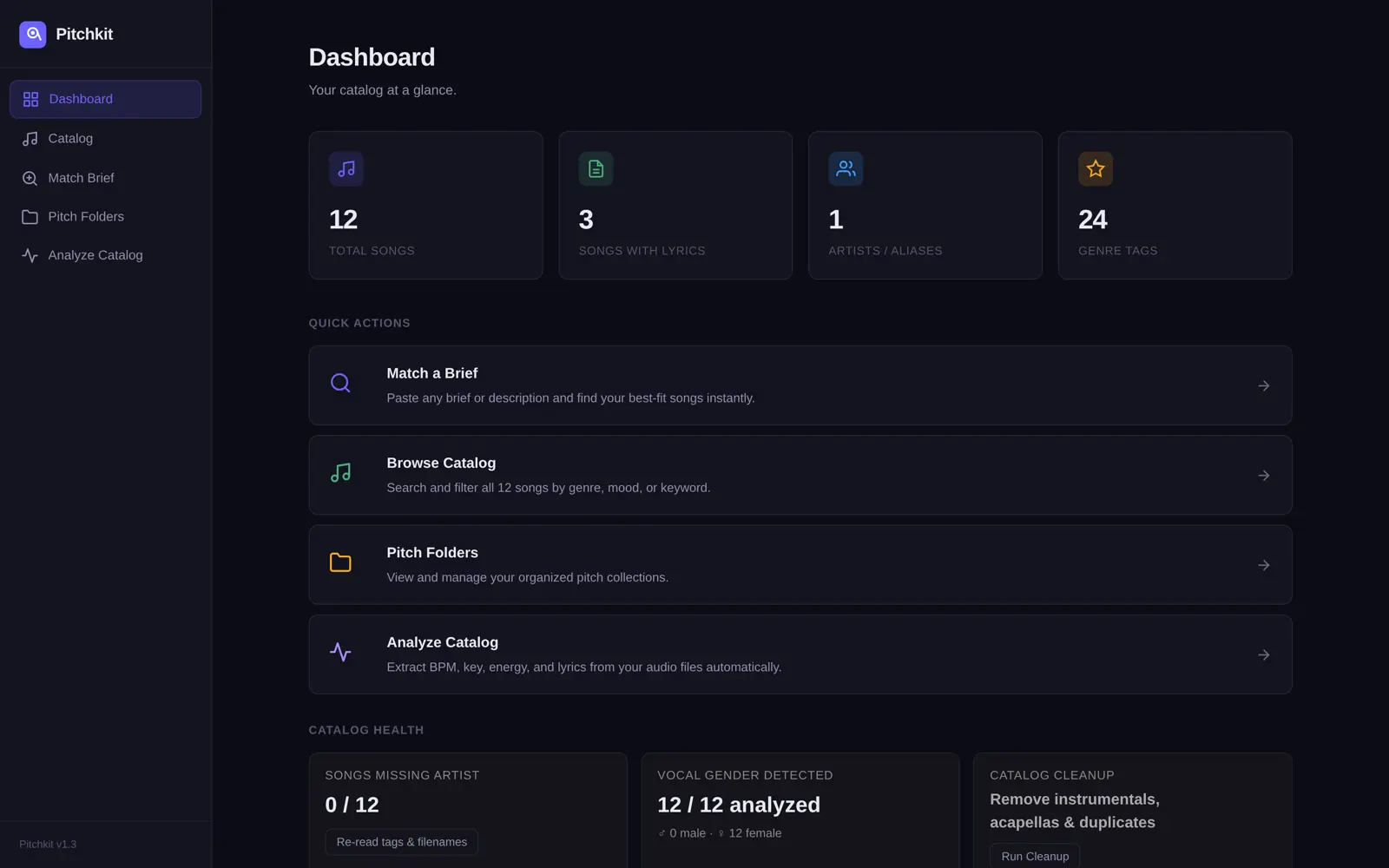
Pitchkit dashboard showing a 12 song catalog fully analyzed, with quick actions for matching a brief, browsing the catalog, and pitch folders
The dashboard after indexing: 12 songs, all analyzed, vocal gender detected, genre tags generated. The sample catalog here belongs to Ren Calloway, a fictional artist created for this demo.

2Every song becomes searchable data

Open any song and you can see what Pitchkit knows about it: tempo, key, energy, moods, themes, a written description of the sound, and transcribed lyrics you can save as a PDF or text file for a supervisor.
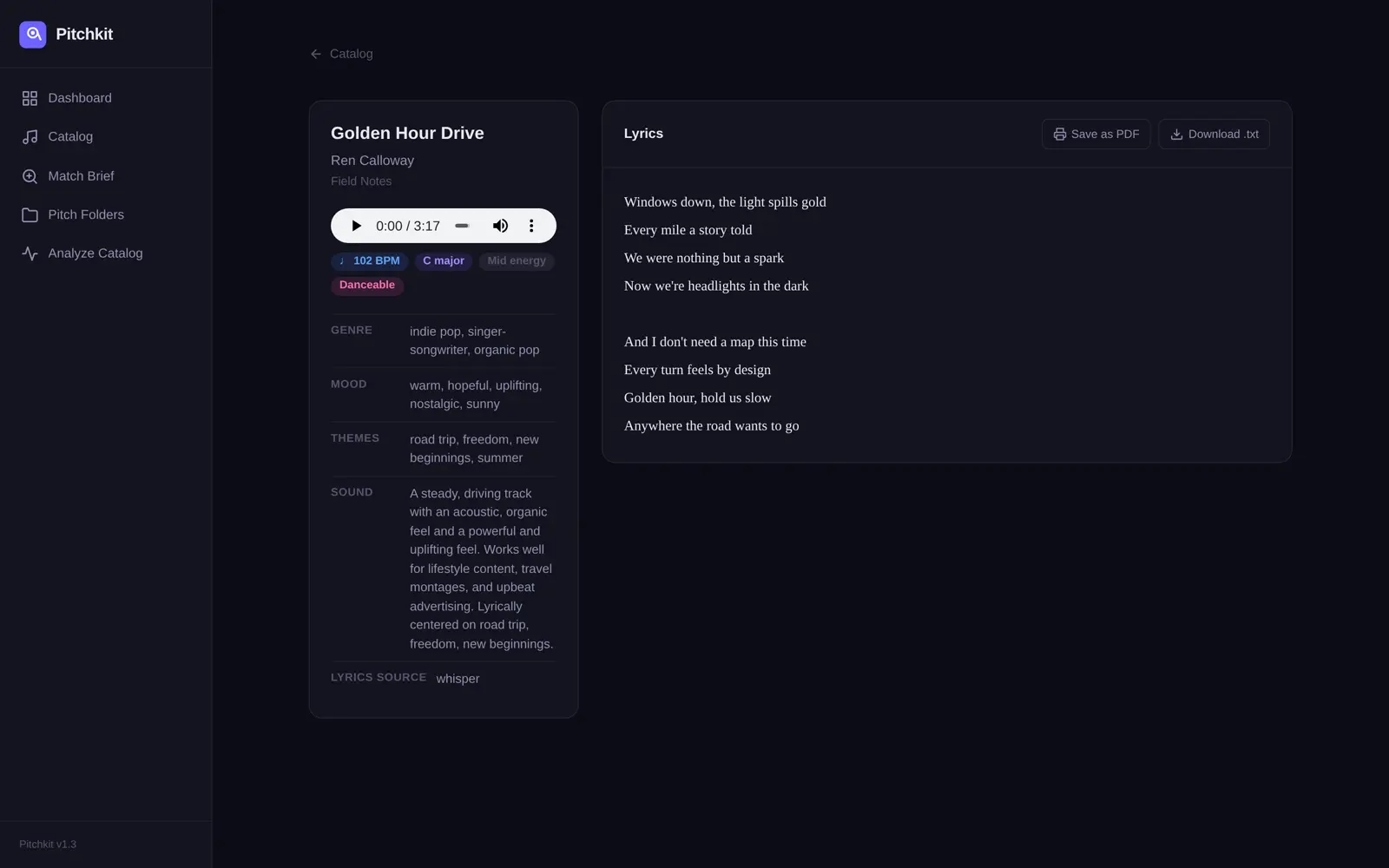
Pitchkit song page showing BPM, key, genre, mood, themes, a sound description, and transcribed lyrics with export buttons
A song page: 102 BPM, C major, mood and theme tags, a plain-language sound description, and the transcribed lyric with one-click export.

3Paste a brief, get a ranked shortlist

Here is the brief used in this example, pasted exactly as a supervisor might send it:

The brief NETWORK DRAMA, SEASON FINALE. Warm, hopeful indie pop for a golden hour road trip montage. Organic guitars, building energy, female vocal. 95-110 BPM. Clean lyrics only. Think Coldplay warmth with a modern indie feel. Instrumental available is a plus.

Pitchkit reads the hard constraints (the 95-110 BPM window, the lyric requirement, the vocal), translates the artist reference into musical characteristics, and scores every song in the catalog against all of it. The result is a ranked shortlist, best fits first, with the matching tags visible on each result.
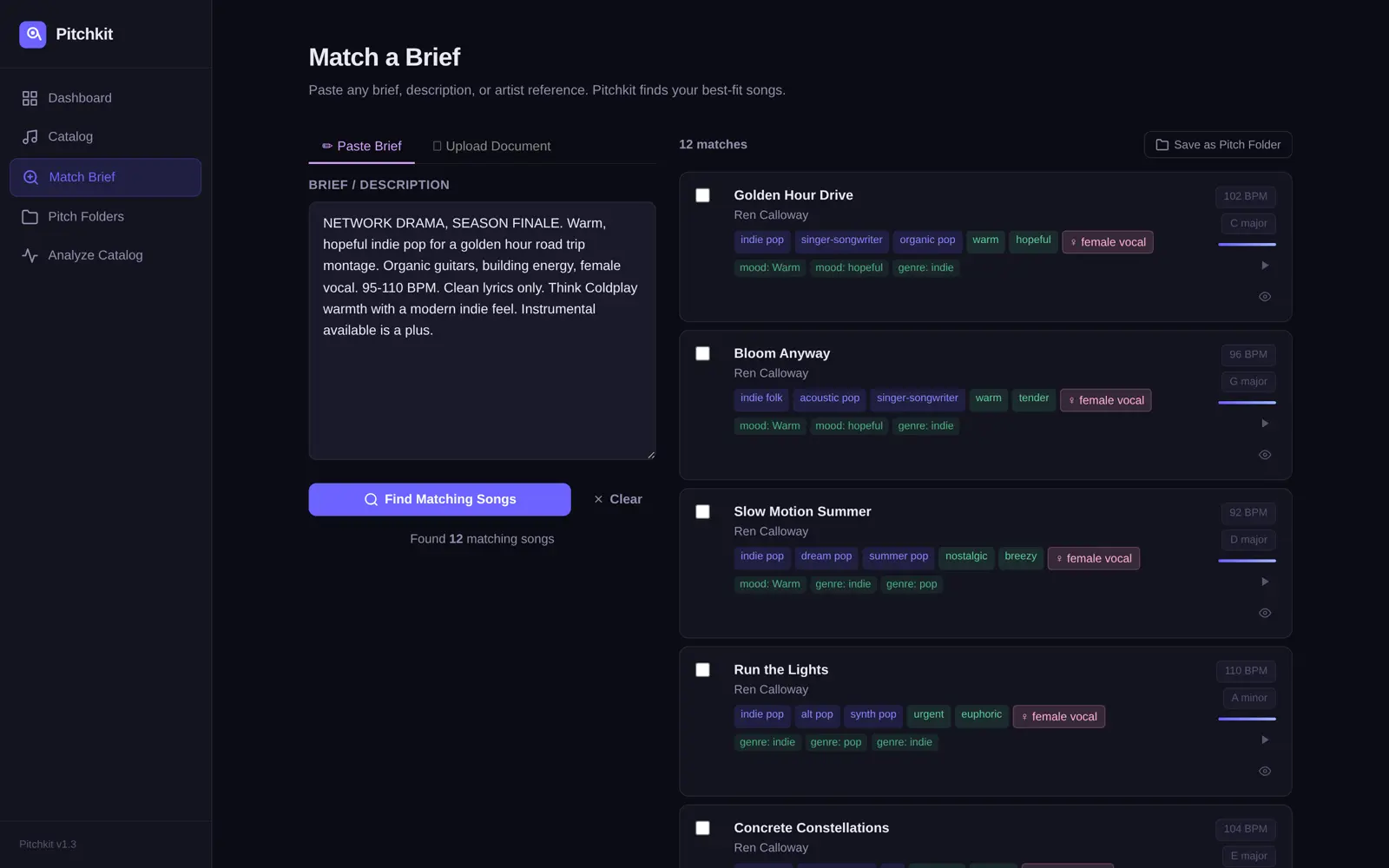
Pitchkit match results for a sync brief, showing ranked songs with BPM, key, genre and mood tags, and match strength bars
The top matches land inside the BPM window with the right mood: warm, hopeful indie pop first, darker and faster material ranked below. Each result shows why it matched.

4One click packs the pitch

Tick the songs you want to send, name the folder after the brief, and Pitchkit copies the files into a cleanly named folder: Artist - Title, ready to upload to Disco, a private link, or an email.
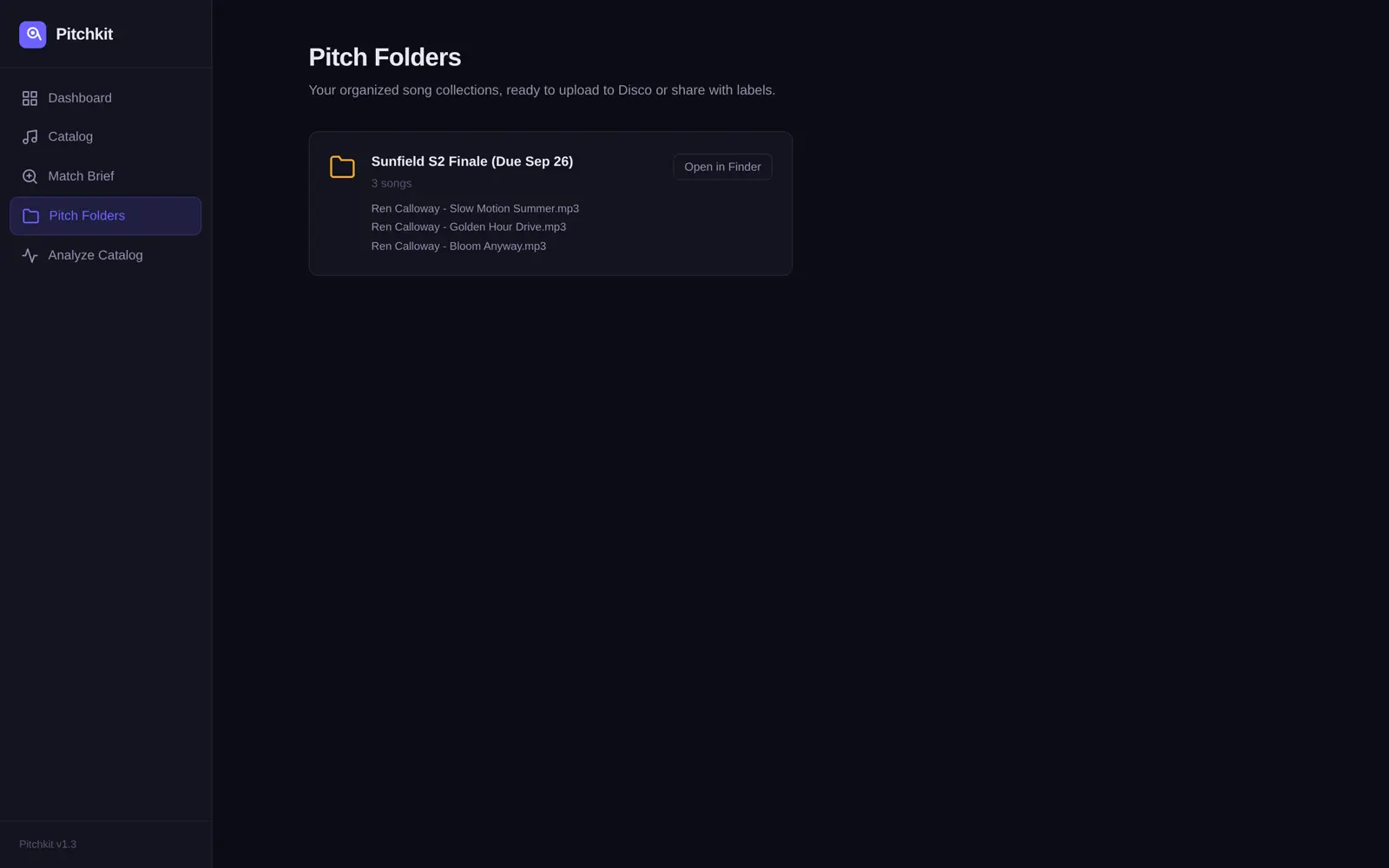
Pitchkit pitch folders page showing a created folder named after the brief containing three selected songs with Artist - Title filenames
The finished pitch folder: three picks from the shortlist, named and organized, sitting in a real folder on the Mac. This is the thing you actually send.

The full catalog view

Between briefs, the catalog page is a searchable, filterable database of everything you have: filter by genre, mood, or keyword, and preview any track in place.
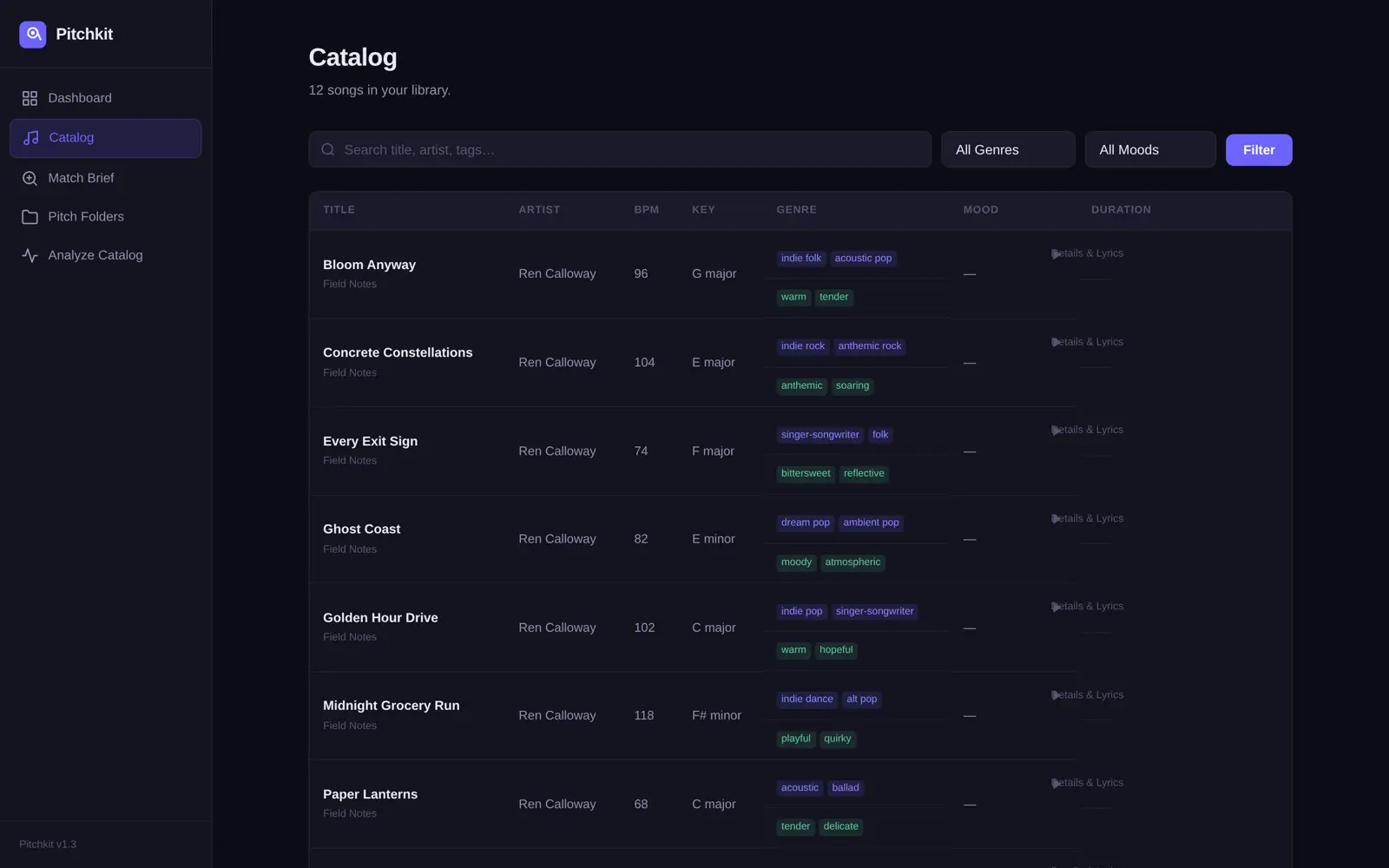
Pitchkit catalog page listing songs with BPM, key, duration, genre and mood tags, with search and filter controls
The catalog view: every song with its data, searchable and sortable. This is what replaces digging through folders and half-remembered bounce names.
About this example: Ren Calloway and these songs were created specifically for this walkthrough, so no real artist's unreleased music appears on a public page. The app, the analysis, the matching and the folder it created are the real product doing real work. Your catalog gets the same treatment, on your Mac, without your files going anywhere.

Run it on your own songs

The download includes every feature you just saw, working on your first 30 songs, with no account and no card. One purchase of $39 removes the cap for your whole catalog.

Download Pitchkit for Mac →

or get the full version: $39, one time

This is the real app · runs on your first 30 songs before you pay · $39 once for the full catalog Download for Mac